
Choose the pattern that needs attention
Configure how many authentication failures, within what time window, should trigger detection for your source.
Turn repeated PostgreSQL sign-in failures into actionable alerts. Connect PostgreSQL security logs to a Tero Sensor and give your team the source, account and environment context they need to investigate.
Read-only log collection. Source context. Connected investigations.

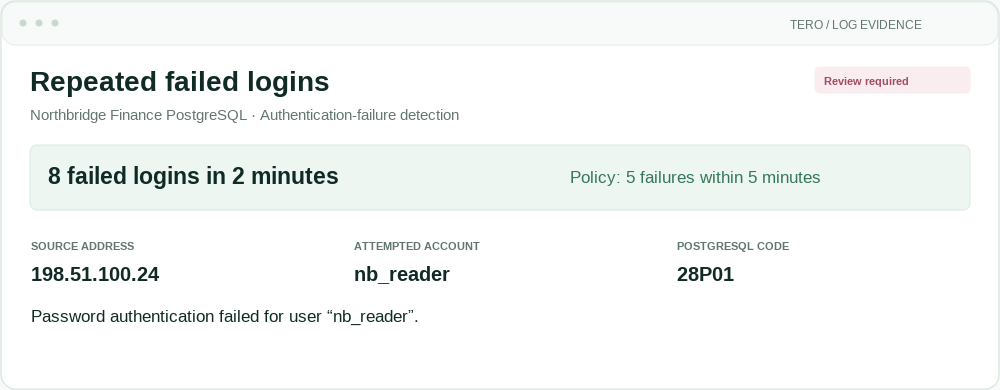
One failed login can be a mistake. Repeated failures deserve a closer look. Tero turns the configured authentication-failure pattern into a signal your team can review.
Configure how many authentication failures, within what time window, should trigger detection for your source.
Inspect available log evidence: the source address, attempted account, timestamps and PostgreSQL failure details.
Retain the source, Sensor and environment context so your team can follow available evidence through Events, Alerts and Investigations.
PostgreSQL JSON security logs give your team evidence of repeated authentication failures, with source context to investigate the activity and decide what to do next.
Review collection coverage, individual source status and recent log activity. See which databases are reporting and which connections need your attention.
A Sensor heartbeat and a log source are different signals. Check the source’s collection status and last reported log.
Identify disconnected or disabled sources and inspect the configured detection policy.
Durable checkpoints and queued delivery support restart and offline recovery on supported deployments.

Your application continues connecting to PostgreSQL as it does today. The Sensor reads explicitly approved JSON security logs through read-only access, then sends redacted security evidence to Tero over encrypted HTTPS.
Make supported PostgreSQL JSON logs available to your Sensor through a dedicated read-only location. Logs from another machine need an approved export or forwarding path first.
Name the source, select its environment and Sensor, and configure the authentication-failure threshold and time window.
Check source health and recent log evidence to confirm the source is reporting to Tero.
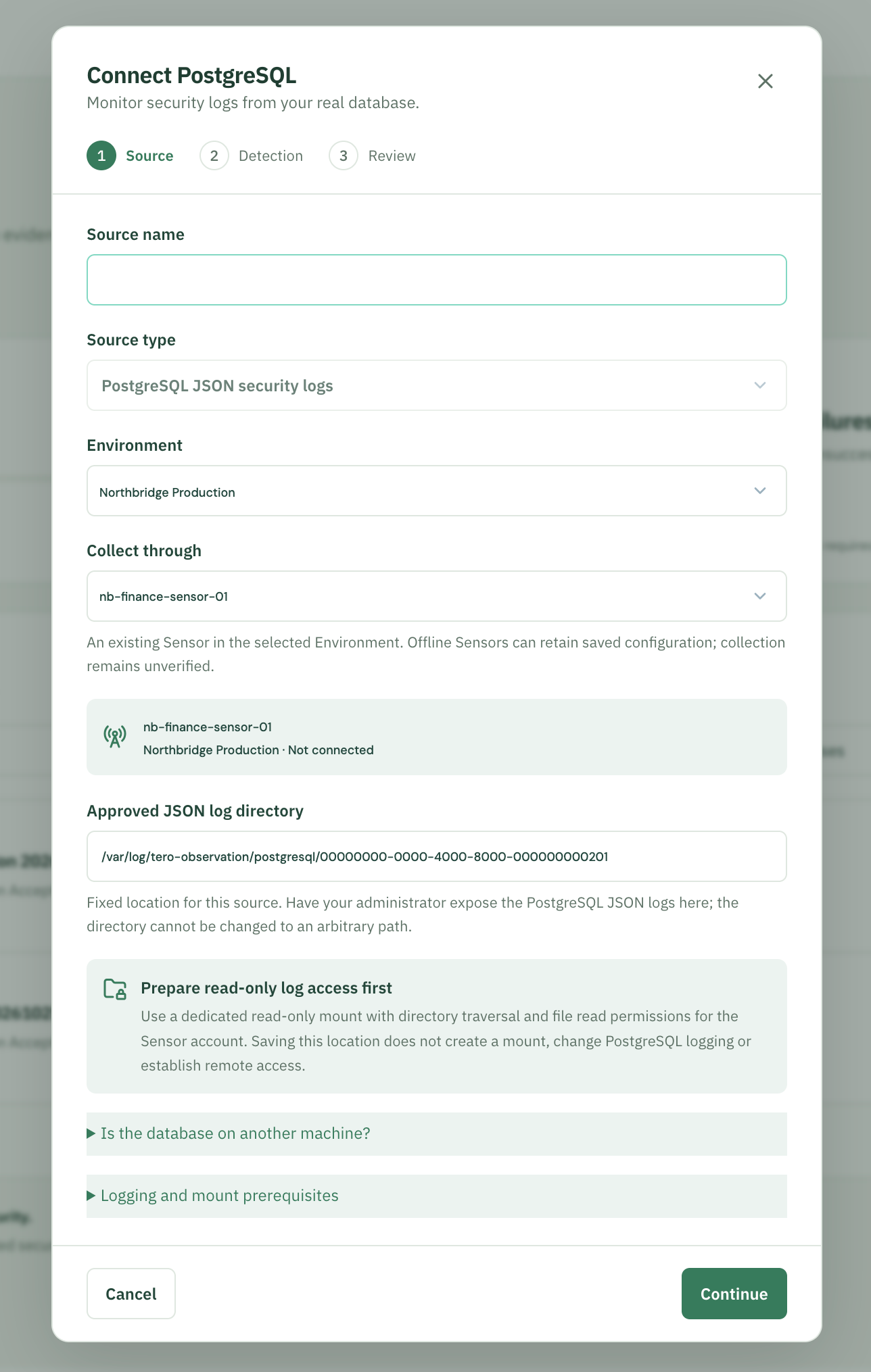
The collector reads approved JSON security logs through read-only access to the configured log location.
Your application’s database connection remains on its existing path.
Real-system log evidence retains its origin, separate from interactions with synthetic Decoys.
Learn how to connect your logs and investigate the evidence your team receives.
It detects repeated PostgreSQL authentication failures from explicitly configured JSON security logs, using the failure threshold and time window set for the source. Alerts include available source and account evidence to help your team investigate the pattern.
The connector reads approved JSON security logs through read-only access. Your application keeps its existing database connection while the Sensor sends redacted security evidence to Tero.
Prepare approved log access, configure the source in Tero and confirm collection health. If PostgreSQL runs on another machine, logs must first reach a location the Sensor is authorized to read.
Yes. Redacted security evidence is sent to Tero over encrypted HTTPS for detection and investigation. Sensitive fields are redacted and evidence is kept within organization boundaries.
Review the source address, attempted account, timestamps and PostgreSQL error details behind the alert. Tero connects this evidence to the Sensor and environment so your team can assess the activity in context.
Monitoring brings repeated failures to your attention and connects the supporting evidence to Events, Alerts and Investigations. Your team can review what happened and use its response processes to decide the next step.
See Security Monitoring in Tero, explore the evidence workflow and discuss how to connect your approved PostgreSQL logs.
See the product. Review your setup.