
Databases worth exploring
Synthetic schemas and business records give database discovery somewhere to happen.
PostgreSQL · MySQL · RedisGive suspicious activity a realistic place to surface. Deploy realistic database, file-server and internal-service Decoys on your Tero Sensor. Reveal suspicious interactions and give your team a recorded trail to investigate.
Customer-managed Sensor. Synthetic systems. Recorded evidence.
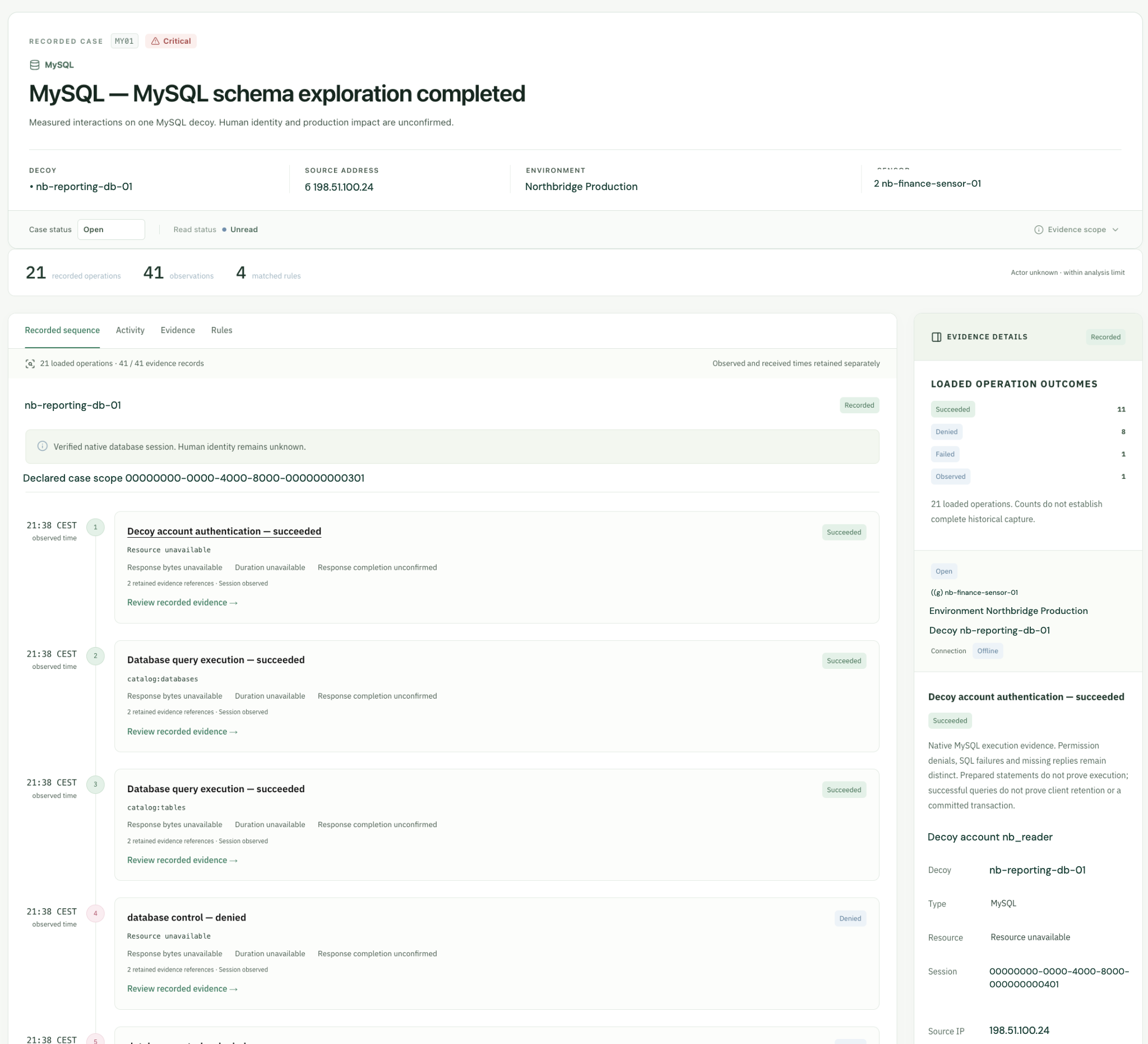
A Decoy is a synthetic system placed in your network to reveal unexpected interactions. Choose services that belong in your environment, then manage them from the Tero console.
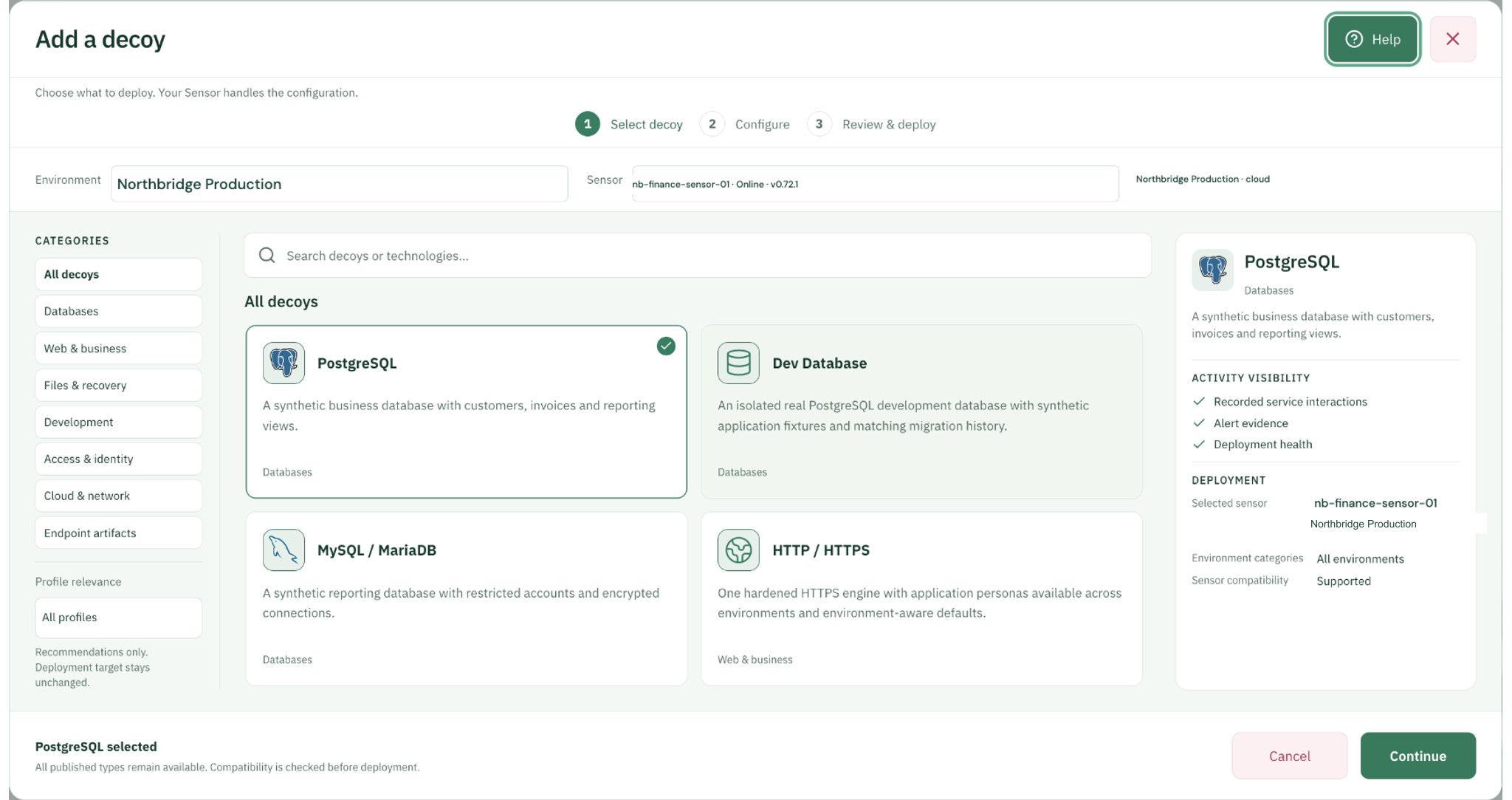
Synthetic schemas and business records give database discovery somewhere to happen.
PostgreSQL · MySQL · RedisPresent credible storage, finance, HR and backup systems with synthetic content.
NAS · File servers · Backup managementGive an intruder familiar portals and workflows to interact with.
IT support · VPN portal · Password vault · ERPExpose synthetic repositories, access services and infrastructure interfaces.
Git · Artifact repository · SSH · Kubernetes APIAvailable capabilities and supported interactions depend on the Sensor release and selected Decoy. The console checks compatibility before deployment.
An intruder may look for databases, shares and internal applications after gaining access. A well-placed Decoy gives that exploration another destination—and your team another chance to notice.
Move beyond “something connected.” Inspect the recorded sequence, distinguish successful and denied operations, and follow the available evidence into an investigation.
Review the recorded source address, Decoy, Sensor and environment to understand where the interaction occurred and which resources were involved.
Inspect supported queries, file access, requests and commands in their recorded context.
Distinguish recorded success, denial and failure instead of treating every connection as a completed action.
Use Events, Alerts and Investigations to follow available evidence and decide what needs attention.
Run a Tero Sensor on supported customer infrastructure. Add relevant Decoys where suspicious exploration could reach them, then verify the evidence path.
Enroll a supported deployment in the environment you want to monitor.
Select a service, give it a credible identity and configure its network placement.
Check deployment health and review recorded interactions through Events, Alerts and Investigations.
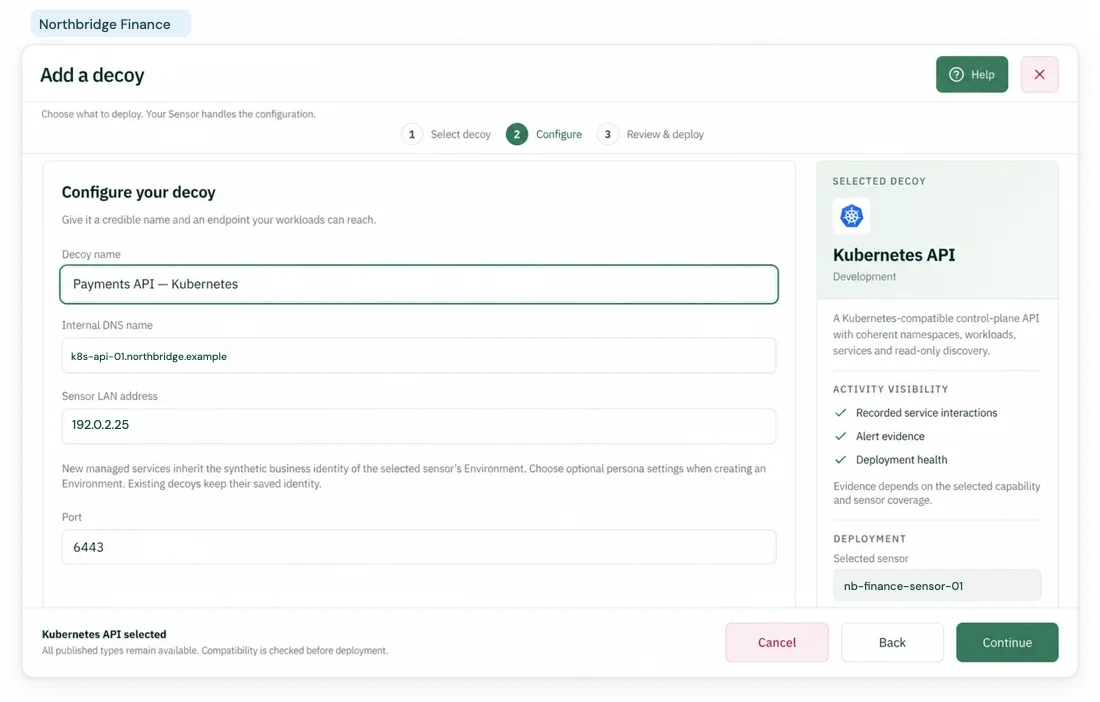
Explore placement, recorded interactions and investigations.
A Tero Decoy is a realistic synthetic database, file service or application hosted by your Sensor. It gives unexpected visitors something believable to interact with and records supported activity for detection and investigation.
Decoys are separate synthetic services with their own personas and content. Place them near relevant business resources while your applications keep using their existing databases and file servers.
Choose a reachable location where unexpected exploration could encounter a believable database, file service or application. Review deployment readiness and Sensor health to confirm the Decoy is ready to record interactions.
Review the source address, accessed resources, attempted actions and recorded outcomes. Follow the activity through Events, Alerts and Investigations to decide what needs attention.
Tero adds visibility through synthetic systems and a shared evidence workflow. It complements your existing security controls rather than requiring you to replace them.
See how realistic services, recorded interactions and investigations come together in Tero—then choose a deployment that fits your network.
See the product. Explore your setup.