
Is the device reporting?
Check recent authenticated heartbeats and distinguish an online device from one that has stopped reporting.
Connect device health, security detections and supporting evidence. Chameleon, Tero’s endpoint agent, helps your team detect suspicious activity, understand what happened and decide what to do next. Keep each finding connected to the device and environment involved.
Separate device identity · Recorded evidence · Response history
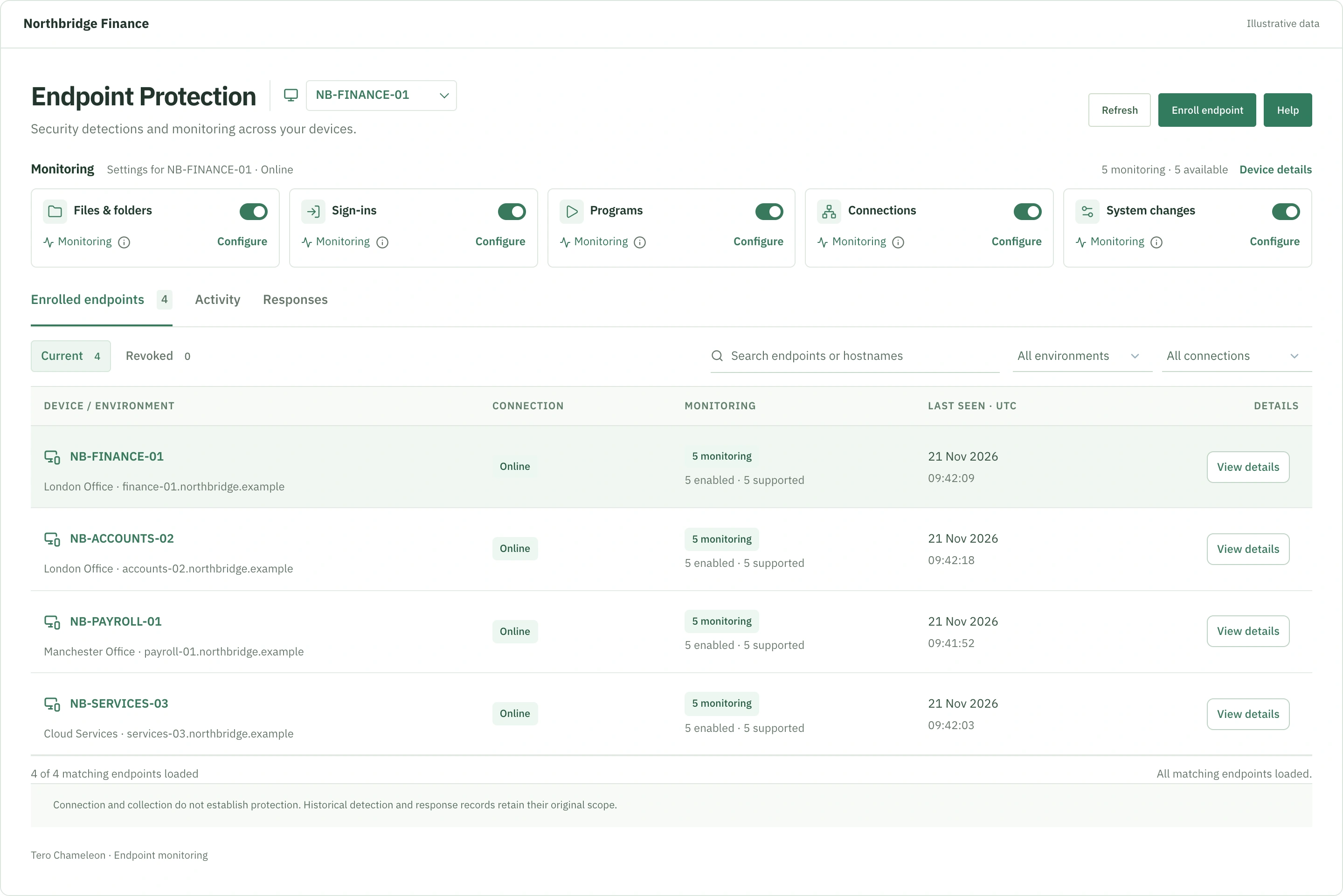
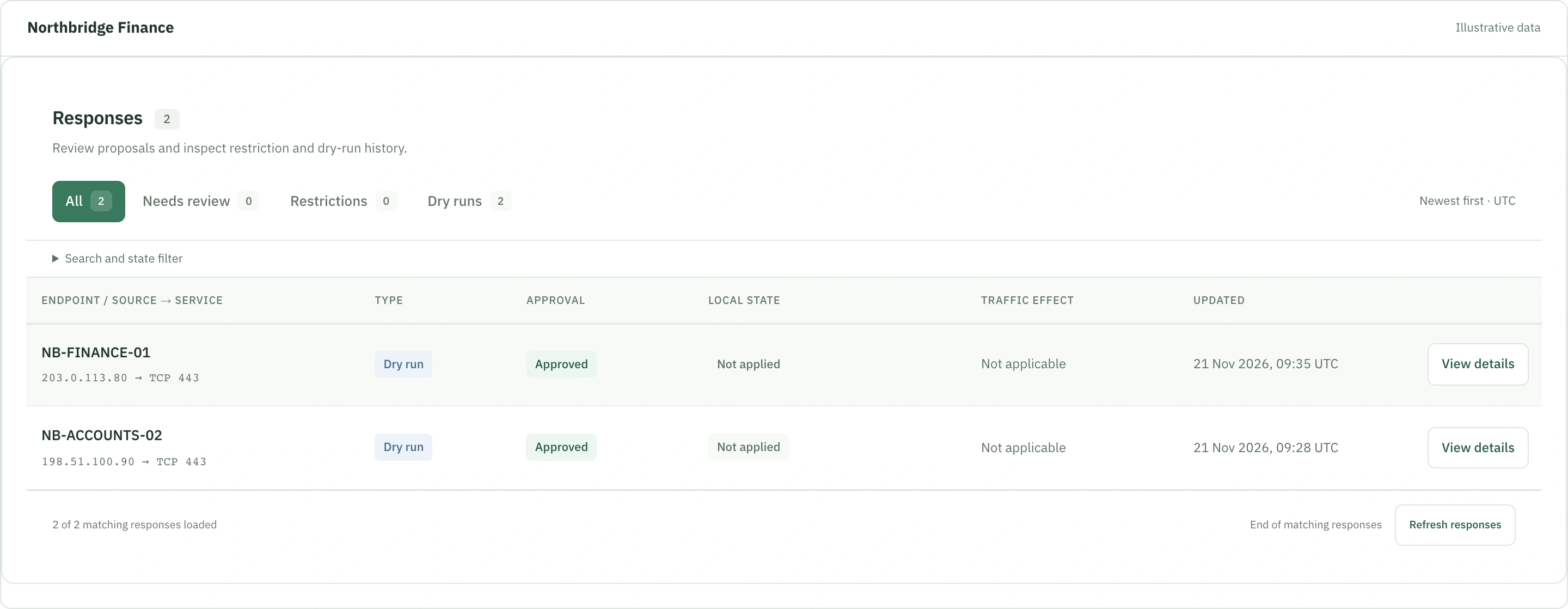
Review device connectivity, collection health, security detections and response history together. Each view gives your team context for investigating activity on an enrolled host.

Check recent authenticated heartbeats and distinguish an online device from one that has stopped reporting.
Review collection health for configured file, sign-in, program, connection and system activity.
Inspect security detections and the evidence behind the matched rule, with device and environment context.
Review response approvals, reported local outcomes and recorded expiry to inform the next decision.
Enroll a supported host independently of your Sensors. Chameleon connects that endpoint to Tero with its own device identity and reporting lifecycle.
Retain the endpoint, organization and environment context as supported evidence moves into Events, Alerts and Investigations.
A durable local queue supports delivery after connectivity returns, including restart recovery.
Enrollment controls and revocation support a managed endpoint lifecycle. Review device ownership and credentials as your endpoint inventory changes.


Keep the proposed target, approval, delivery and recorded local outcome visible through the response workflow. Use the evidence to make an informed decision for the host involved.

Identify the enrolled host, source address, local service and duration before considering a response.
Review the proposal, the evidence behind it and the recorded authorization for the selected host.
Check the reported local state, reversal and expiry alongside the response history.
Understand where an observation came from before deciding what it means. Tero connects the workflow while preserving the source of the evidence.
Realistic synthetic databases, file services and internal applications reveal supported interactions with those Decoys.
Read approved PostgreSQL JSON security logs and detect repeated authentication failures from connected sources.
Review the host’s identity, independent health states, supported endpoint evidence and recorded response history.
Learn how endpoint visibility, security detections and connected evidence help your team.
Chameleon is Tero’s endpoint agent. It enrolls a supported host separately from a Sensor and reports device identity, connection, collection and supported evidence into Tero.
Chameleon collects configured file, sign-in, program, connection and system activity. Security detections bring matched rules and supporting evidence into Tero for review.
Endpoint evidence retains its device, organization and environment context as it moves into Events, Alerts and Investigations. Your team can follow the recorded activity and assess the findings together.
Use the endpoint inventory and device details to review authenticated connectivity, collection health and recent reporting. Open the device’s detections and response history for the context behind its status.
Sensors host Decoys and collect connected monitoring sources. Chameleon enrolls each endpoint with its own device identity. Tero brings their evidence into a shared investigation workflow.
Book a demo to discuss your devices and environment with Tero. Our team will help you choose the appropriate setup, enroll your endpoints and confirm they are connected.
Explore Chameleon, device health, security detections and connected investigations. See how your team can follow the evidence and make informed response decisions.
See the product. Explore your setup.